Extranet Collaboration Manager (ExCM) for SharePoint On-Premises provides a complete B2B extranet solution. It transforms SharePoint into an enterprise-ready extranet platform by simplifying administration and enabling easy, secure collaboration between the business and its external partners.
Now in its fourth edition, this award-winning solution can be used for a wide variety of extranet collaboration applications, such as:
- Private, secure collaboration with clients\customers
- Secure sharing of business resources with vendors\partners
- Alternative to Dropbox, OneDrive, etc.
- Replacement of FTP sites
- Sales deal rooms

Available for SharePoint 2019, 2016, 2013, and 2010!
Click to Select Video to Watch:
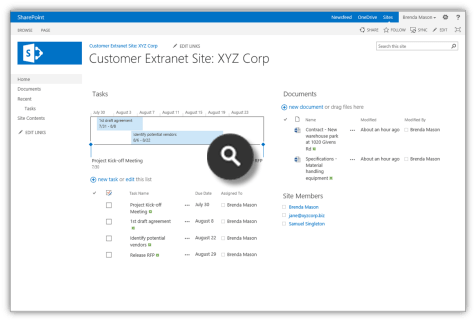
+ Advanced Management of External User Accounts
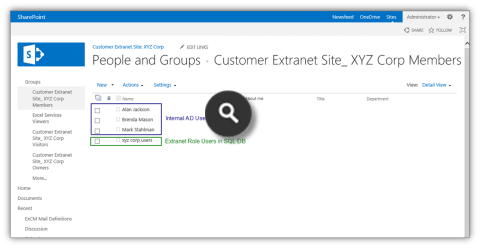
- Seperate external user accounts in their own directory
- Manage extranet accounts using the native SharePoint interface and Ribbon
- Add new extranet users
- Edit extranet users
- Change user password
- Unlock user
- Approve/Deny user
- Add user to extranet role(s)
- View extranet roles user belongs to
- Customize extranet user profile fields
- Manage extranet roles
- Find all users in an extranet role
- Engineered to handle high-volume extranet account scenarios
Included in Edition(s): Essentials and Professional
+ Simple and Intuitive End User Experience
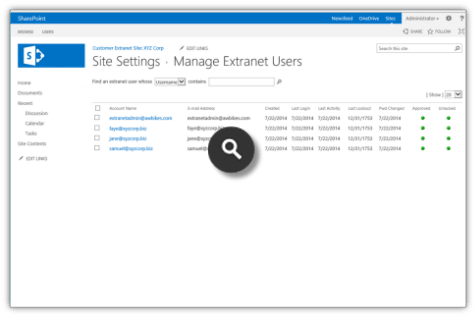
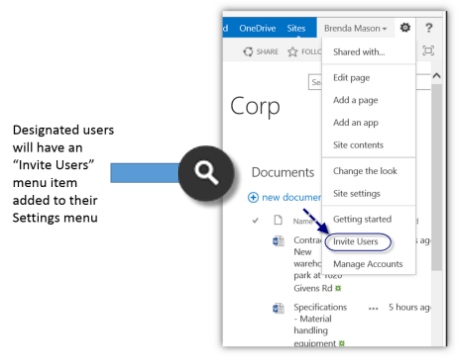
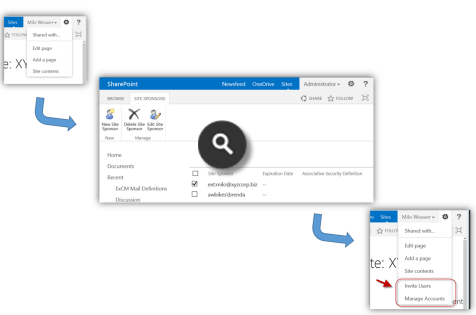
- Designated users (Site Sponsors) can easily send email to invite new users
- Invitee email templates can be branded and customized
- Invitees complete registration form that you can customize
- Optional registration approval workflow
- Forms-based custom login page that is fully customizable
- Site-wide security policies ensure new users receive proper permissions
Included in Edition(s): Essentials and Professional
+ Efficient Administration and Self-Service Capabilities
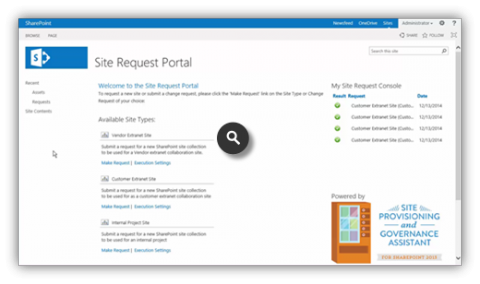
- Self-service Site Request portal automates site provisioning
- Site Sponsor feature allows delegation of external user account management
- Granular configuration of Site Sponsor permissions and capabilities
- Easy-to-use account management interface for Site Sponsors
- Self-service “Forgot My Password” feature for external users
- Self-service password change for external users
- Self-service secret question change for external users
Included in Edition(s): Essentials and Professional
+ Industrial-Strength Security
- Tightly integrated with SharePoint permissions model
- Extranet Roles provide an extra layer of security
- Site Security Policies automatically add new users to correct permissions group
- Configurable password strength policy
- Configurable password expiration policy
- Configurable user account expiration policy
- Configurable account login lockout policy
- Require users to accept Terms and Conditions statement
- Captcha support on forms
- Optional registration approval workflow
- Extranet user domain name matching policies
- SSL web application compatible
- Compatible with many two-factor authentication and Trusted Identity Provider solutions
Included in Edition(s): Essentials and Professional
+ Automated Extranet Site Provisioning and Governance
- Site Provisioning Workflow Engine eliminates manual provisioning
- Self-service Site Request Portal automates end-user request process
- Optional site approval workflow
- Enhance SharePoint Governance by automating change requests
- Fine-grained site provisioning profile (workflow) configuration
- Customizable Email notifications
- Assets List provides history of sites provisioned
- Requests List provides history of end user requests
Included in Edition(s): Professional only
+ New Features in ExCM 2013 R2 and ExCM 2016
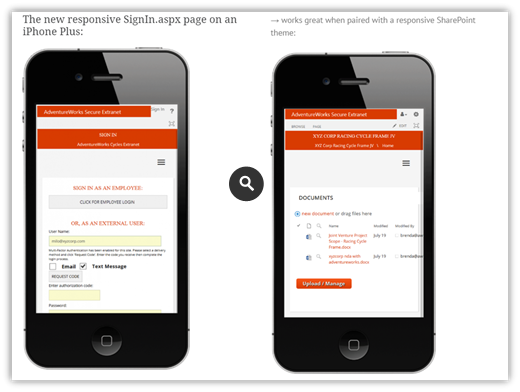
- Responsive Sign In and Registration pages
- Multi-factor Authentication
- Extranet Setup Wizard
- Extranet Directory Web Part
- Central Administration components for easier admin
- Enhanced deployment for multi-server farms
- Enhanced error reporting in ULS
Included in Edition(s): Essentials and Professional
+ Excellent Support and Documentation
- Professional, U.S.-based support engineers
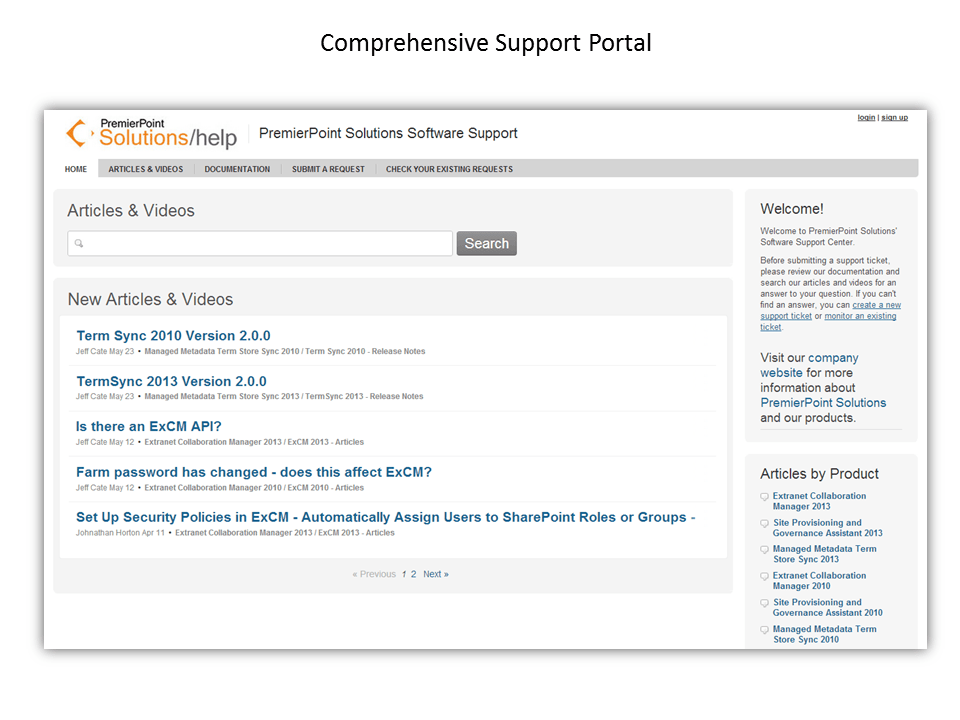
- Comprehensive support portal
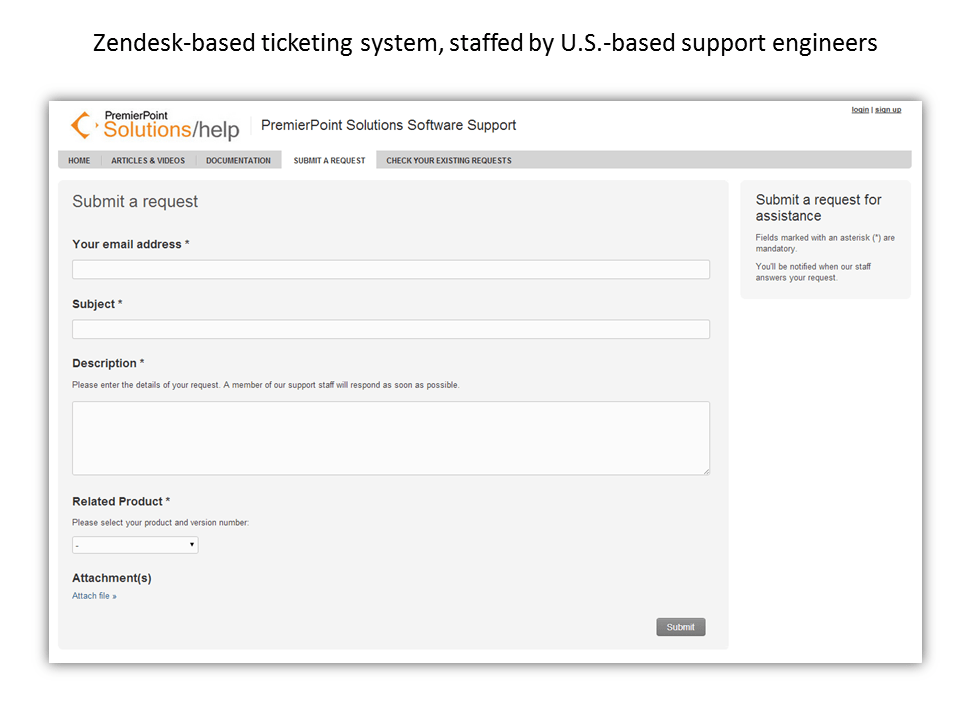
- Zendesk-based ticketing system ensures support requests are efficiently handled
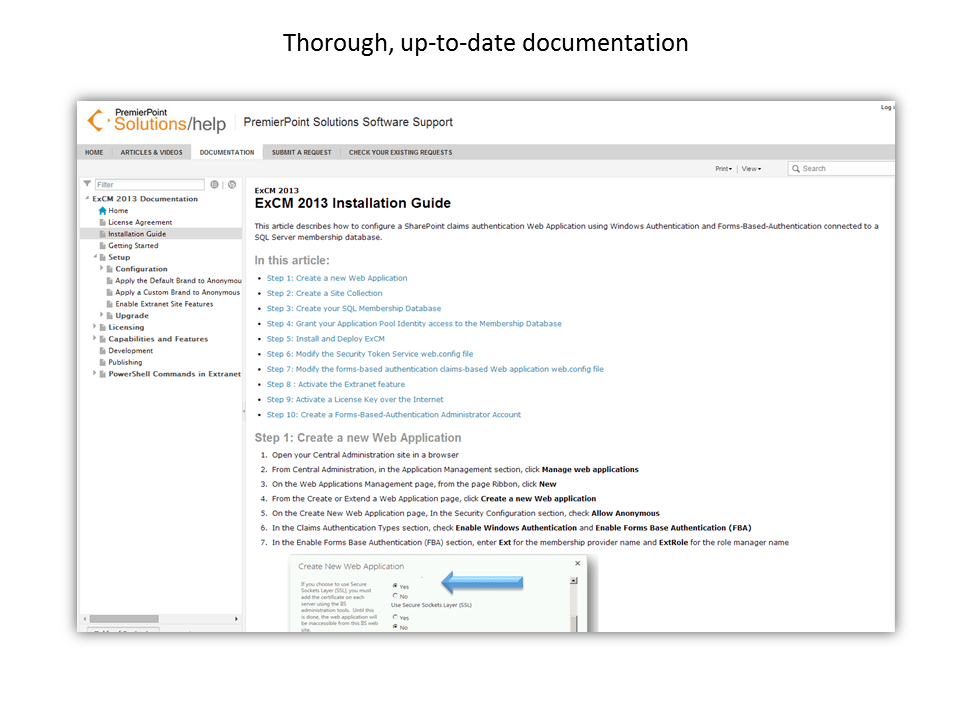
- Thorough documentation and numerous help and how-to articles and videos
Included in Edition(s): Essentials and Professional
Our Satisfied ExCM Customers include:







































Comments from customers:
Plante Moran has provisioned over 500 client extranet sites and 1,500 engagement sites. Extranet Collaboration Manager Enterprise Edition has saved us at least 3,500 hours of effort, which would be over $260,000.
 Brian Dunant SharePoint Architect
ExCM has proven to be a tool we are going to continue to expand on…we’re finding more and more uses for it. With additional training from our Information Services, I would be able to actualize this product and use it in a lot of ways we can’t begin to think of at this time.
Lynn Marshall Sarpy County Emergency Manager| Edition | For SharePoint Versions |
| ExCM Extranet On-Prem Essentials | 2019, 2016, 2013, 2010
Server and Foundation |
| ExCM Extranet On-Prem Professional | 2019, 2016, 2013, 2010
Server and Foundation |
| Feature Categories Included by Edition1 | ExCM Essentials (2019, 2016, 2013, or 2010) | ExCM Professional (2019, 2016, 2013, or 2010) |
| All the Rich Collaboration Features of SharePoint Foundation or Server |  |
|
| Advanced Management of External User Accounts | |
|
| Simple and Intuitive End User Experience | |
|
| Efficient Administration and Self-Service Capabilities | |
|
| Industrial-Strength Security | |
|
| Automated Extranet Site Provisioning |  |
|
| Automated User Change Request Handling | |
|
| Managed Metadata Integration with Line of Business Data | |
See Note 2 |
| Excellent Support and Documentation | |
|
1A List of all detailed features in each Category is provided on the Features tab of this page.
2Available for customers who use on-premises SharePoint Server Standard or SharePoint Server Enterprise (2019, 2016, 2013, or 2010).
Our satisfied ExCM customers include:

Comments from customers:
Plante Moran has provisioned over 500 client extranet sites and 1,500 engagement sites. Extranet Collaboration Manager Enterprise Edition has saved us at least 3,500 hours of effort, which would be over $260,000.
Brian Dunant SharePoint ArchitectExCM has proven to be a tool we are going to continue to expand on…we’re finding more and more uses for it. With additional training from our Information Services, I would be able to actualize this product and use it in a lot of ways we can’t begin to think of at this time.
Lynn Marshall Sarpy County Emergency Manager(Applicable to On-Premises Software Only)
Extranet Collaboration Manager installs as a SharePoint Farm Solution. Therefore, the system requirements are those of a healthy SharePoint 2010, 2013, 2016 or 2019 farm. See these pages on Microsoft’s TechNet site for details on SharePoint 2010, 2013, 2016, or 2019 system requirements:
Hardware and Software Requirements for SharePoint 2019
Hardware and Software Requirements for SharePoint 2016
Hardware and Software Requirements for SharePoint 2013
Hardware and Software Requirements for SharePoint 2010
Extranet Collaboration Manager Professional Edition (2019, 2016, 2013, or 2010) adds a Site Provisioning Workflow service that can run on one or more servers in the SharePoint Farm (WFE and\or Application server).
In multi-server farms where a high-volume of SharePoint sites will be provisioned by the system, it can be advantageous to dedicate one or more application servers to running the Site Provisioning Workflow service.
Professional, U.S.-based Support
PremierPoint Solutions provides support for ExCM through our ticketing system which is staffed by professional, U.S.-based support engineers.
Comprehensive ExCM 2013, 2016 and ExCM 2019 Documentation
ExCM 2013, 2016 and 2019 are fully documented and continuously reviewed and approved as we support our customers
Comprehensive ExCM 2010 Documentation
ExCM 2010 is fully documented and continuously reviewed and approved as we support our customers
All Licensing Options include unlimited extranet users and extranet sites!
| Edition\Licensing Option | On-Premises Perpetual Licenses |
On-Premises Annual Agreement |
| Extranet Collaboration Manager Essentials (2019, 2016, 2013, or 2010) | $6,800 per server1 | Not Available |
| Extranet Collaboration Manager Professional (2019, 2016, 2013, or 2010) | Contact Us | Contact Us2 |
| Multi-factor Authentication Add-on (2019, 2016 and 2013 only) | Contact Us | Contact Us |
1 Perpetual prices do not include annual Technical Support contract, or upgrade license fee when migrating to new version of SharePoint (ie. 2016 to 2019).
2 Annual agreement option is all-inclusive licensing and support: includes 1) license(s) for all Production farm servers and all Test\Dev farm servers, 2) all Technical Support and 3) future versions of software at no additional charge.
Whitepapers
- Providing Enterprise-ready and Cost-effective Extranets with SharePoint
- The Case for Using Forms-Based Authentication (FBA) and the SQL Membership Provider for Implementing a SharePoint Extranet
- Choosing a File Sharing Approach: FTP vs. SharePoint Extranet
- Choosing a File Sharing Approach: Email Attachments vs. SharePoint Extranet
Blog Articles
- How to Filter the SharePoint People Picker to Increase Extranet Security
- Configuring Forms-Based Authentication (FBA) in SharePoint 2013
- Configuring Extranet Collaboration Manager Passwords to Meet Corporate Complexity Policies
- SharePoint Extranet on Office 365
- Setting up Security Policies in Extranet Collaboration Manager
- “SharePoint Extranet” Category of Blog Articles on PremierPoint Solutions Team Blog (30+ articles)